

Back To Top
Integration with Rockwell Logix Integration with Rockwell Logix

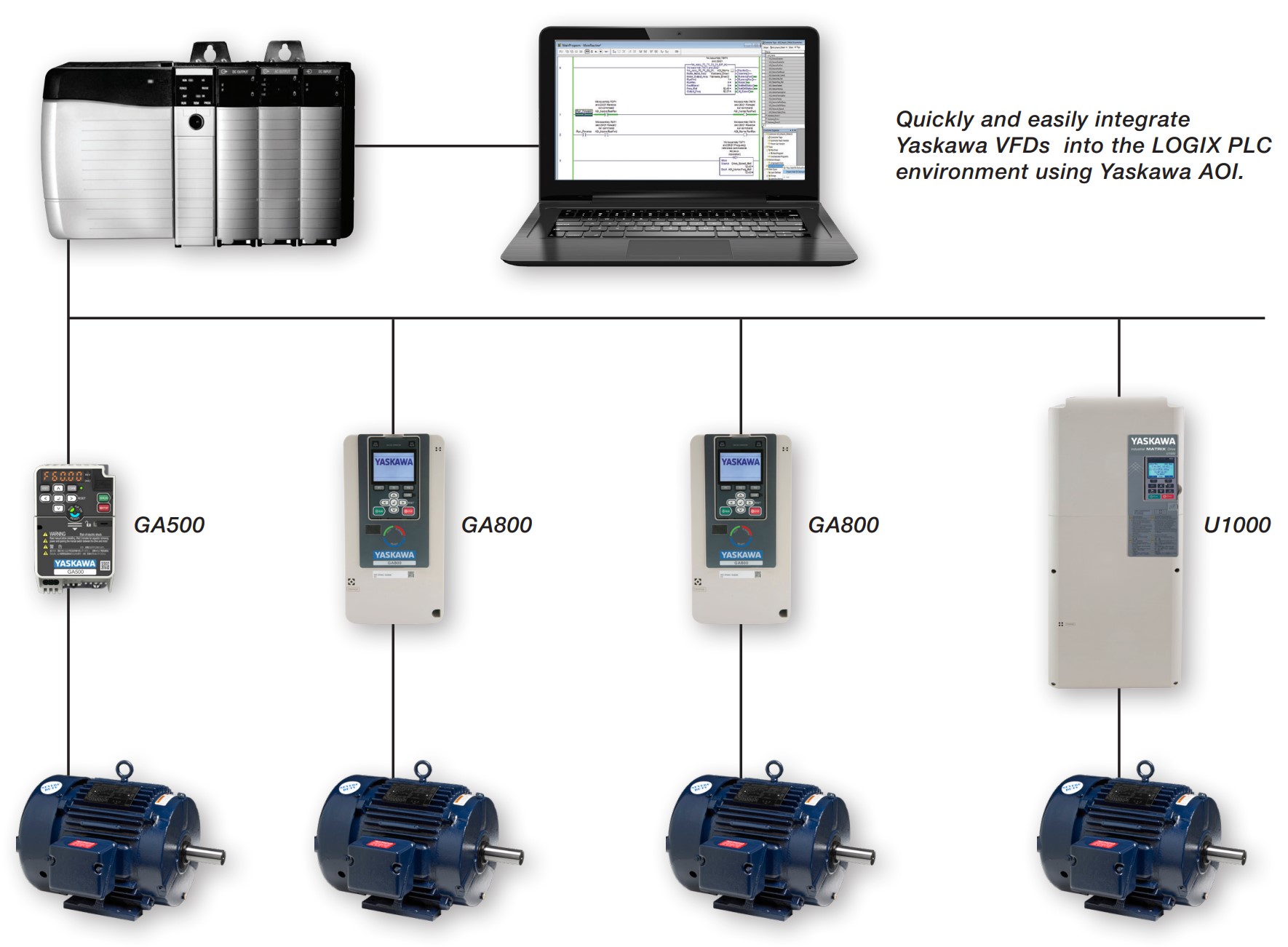
Yaskawa drives integrate seamlessly with the Rockwell Logix platform.

Through standard EtherNet/IP communication and Add-On Instructions (AOIs), Yaskawa VFDs can be quickly configured within Studio 5000 without custom coding. Yaskawa also provides several free integration tools—including pre‑built AOIs, faceplates, parameter mapping utilities, and detailed application notes—that simplify commissioning, diagnostics, and long‑term maintenance when using Rockwell ControlLogix or CompactLogix PLCs.

Rockwell‑specific integration tools:
 

  • Add‑On Instructions (AOIs)\ Prebuilt AOIs for Studio 5000 (RSLogix/Logix Designer v17+) encapsulate common drive commands, status bits, alarms, and parameter access over EtherNet/IP. They shorten ladder/FBD/ST implementation and standardize tag naming. Use these when you want robust control logic with minimal custom code.
  • FactoryTalk View Faceplates (+ companion PLC routine)\ Importable faceplates (ME/SE/PanelView Plus) provide ready‑made HMI pages: Start/Stop, speed/Hz, status ring, control mode, interlocks, alarms, trends, and detail diagnostics. A companion routine for Studio 5000 wires the HMI to the AOIs/tags. Best for fast HMI commissioning and consistent UX across machines.
  • Tag Generator\ Utility that autogenerates Logix tag databases for Yaskawa drives, avoiding manual tag creation and naming errors. Handy when retrofitting multiple drives or aligning to an existing tag convention.
  • “60‑Second EtherNet/IP Node” quick‑start\ Short how‑to material showing the fastest path to putting a Yaskawa VFD on EtherNet/IP and into Logix. Ideal for first‑time setup or field commissioning.