Back To Top

A Windows-based PC software support tool designed to make commissioning & troubleshooting YASKAWA drives a simple as possible.

Download is free from Yaskawa’s site. (See links below)

It supports a wide range of models including GA800, GA500, A1000, V1000, J1000, D1000, R1000, F7, P7, G7, and low‑HP G5 units.

DriveWizard Industial Tips and Tricks

Play Video

Features

  • Parameter Management: View, edit, store, compare, import, export, and transfer parameters between drives.
  • Real-time Data Handling: 6-channel trend recording and 4-channel real-time monitoring panels, with auto/manual scaling and status/fault history panels.
  • Reporting and Exporting: Print or export data (parameters, trends, monitor, status) to PDF, RTF, HTML, etc.; send reports via email from within the app.
  • Drive-to-Drive Transfer: Copy non-current-related parameters from one sizing of the same series to another.
  • Hardware Integration: Supports Y-Stick for parameter copying, USB/RS 232, RS 232/422/485, Bluetooth keypads, and Ethernet option cards.
  • Automatic Updates & Manuals: Built-in automatic update mechanism and integrated technical web manual.
  • Backward Compatibility: Ability to import older DW6.x projects for P7, F7, and G7 series.

Download Instructions

For great overall information on obtaining, installing and using DriveWizard CLICK HERE

To go directly to the website to request a copy of the software CLICK HERE


For YouTube videos on DWI:

Training: DriveWizard - YouTube
 

Tips for watching videos:

Start with “DriveWizard Overview”, then: “DriveWizard Installation”, then: “DriveWizard Programming”
 

Tips on what USB cables are required for programming:

For GA800, GA500, and FP605 drives, use the following cable: USB interface cable (male USB-A to male USB Mini Type B)

For 1000 Series drives, use the following cable: USB interface cable (male USB-A to male USB-B)
 

Other programming software available:

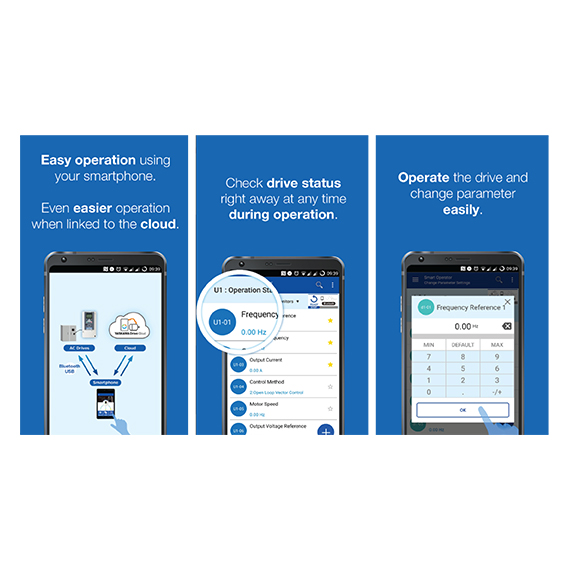
  • DriveWizard® Mobile (Android/iOS)\ Mobile parameter viewing, logging, troubleshooting via USB/Bluetooth—useful when a laptop isn’t practical.
DriveWizard Mobile with Yaskawa Drive Cloud - Yaskawa
 
  • DriveWorksEZ®\ Function‑block logic inside the drive to offload simple interlocks/sequencing from the PLC; reduces PLC edits and network chatter. Free download.
DriveWorksEZ Software - Yaskawa

Education

Interested in attending a training class?

Visit Course Listing